
guoxuEE E-Piano E-Drum-Musikschnittkabel USB-Anschluss rot
von guoxuEE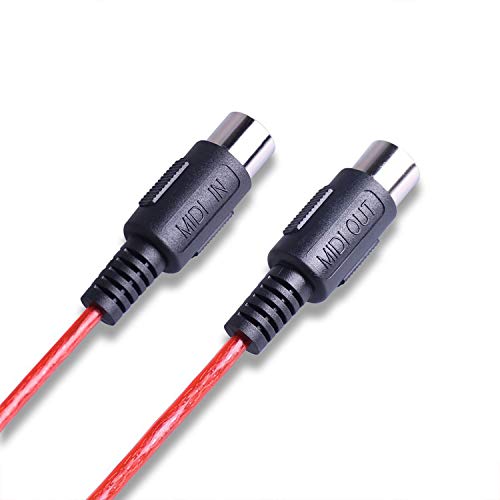
Marke
guoxuEE
Features:
1. Connect the cable marked IN to the MIDI OUT socket of a MIDI keyboard (or MIDI device).
2. Connect the cable marked OUT to the MIDI IN socket of a MIDI keyboard (or MIDI device).
3. Plug the USB cable into any free USB socket on your computer.
4. Open your music software program, e.g. Cubase, Sonar, MIDI Connections, etc.
5. Set the music programs MIDI in and MIDI out devices to USB Audio Device.
6. Your USB to MIDI interface is now ready for use.
7. To save potential problems, it is recommended that this interface is always connected to the same SUB as it was originally installed on USB to prevent multiple installations of the driver.
Specifications:
Material: Plastic
Color: black/red
Size: 2m
Package included:
1 * MIDI Cable
Notes
Due to the difference between different monitors, the picture may not reflect the actual color of the item. We guarantee the style is the same as shown in the pictures. Thank you!
1. Connect the cable marked IN to the MIDI OUT socket of a MIDI keyboard (or MIDI device).
2. Connect the cable marked OUT to the MIDI IN socket of a MIDI keyboard (or MIDI device).
3. Plug the USB cable into any free USB socket on your computer.
4. Open your music software program, e.g. Cubase, Sonar, MIDI Connections, etc.
5. Set the music programs MIDI in and MIDI out devices to USB Audio Device.
6. Your USB to MIDI interface is now ready for use.
7. To save potential problems, it is recommended that this interface is always connected to the same SUB as it was originally installed on USB to prevent multiple installations of the driver.
Specifications:
Material: Plastic
Color: black/red
Size: 2m
Package included:
1 * MIDI Cable
Notes
Due to the difference between different monitors, the picture may not reflect the actual color of the item. We guarantee the style is the same as shown in the pictures. Thank you!
Angebote werden geladen ...
...
* Alle Preise inkl. Mehrwertsteuer. Die Preise und Versandkosten können sich seit der letzten Aktualisierung verändert haben. Es ist technisch nicht möglich, die angegebenen Preise in Echtzeit zu aktualisieren. Es gilt der Preis zum Zeitpunkt des Kaufs auf der Website des Verkäufers. Als Teilnehmer der Partnerprogramme von Amazon und eBay verdient die metaspinner net GmbH an qualifizierten Verkäufen.